
Quintus 2.0
Back in the early 2010's, fresh off writing Professional HTML5 Mobile Game Development I decided to take the toy engine built in the book and push it a bit further. The result was Quintus, a fun, little, 20kb gzipped, zero-dependency game engine that could do real work.
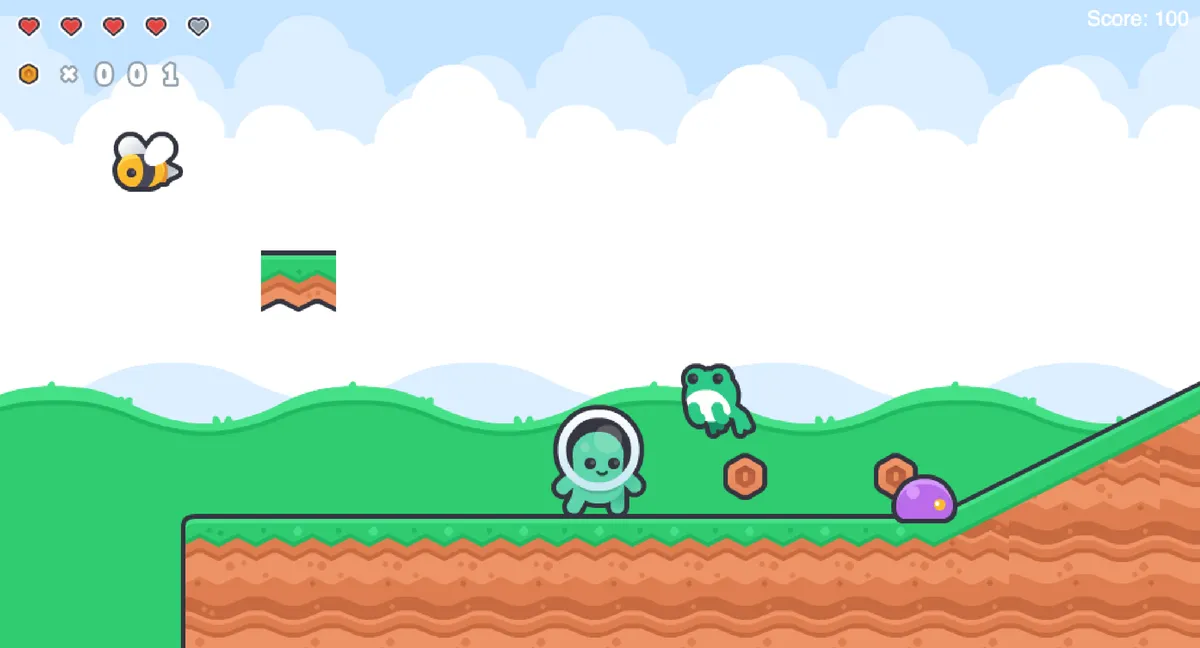
Back in the early 2010's, fresh off writing Professional HTML5 Mobile Game Development I decided to take the toy engine built in the book and push it a bit further. We were getting some mobile game contract work (mostly little Ad-games.) and I wanted something lightweight and easy to deploy that I could use for future projects. The result was Quintus, a fun, little, 20kb gzipped, zero-dependency game engine that was production ready. Right around that time, however, I started my CTO journey and that occupied the last 15 years of my attention and the engine languished.
Newly back to Cykod however, I decided to take a look at Quintus again with a LLM-focused lens, and see what a rebuilt-from-the-ground-up engine might look like.
Over the course of 3 weeks, using AI Assisted development, I rebuilt Quintus from the ground up as Quintus 2.0. A modern HTML5 game engine for the LLM-era.
Having played around a lot with Godot in recent years, Quintus was moved from a ECS (Entity-component system) to a Node-based system. One of the drivers of that was the need for excellent Typescript support and strong typing, and ECS would have made that more difficult. LLMs need constraints, and a strong type system helps keep them pointed in the right direction.
The Goal of the project was to be able to build games entirely from the command line using Claude Code and existing assets (in my case, the excellent Kenny.nl assets). To give the LLM the ability actually build the game, it needed to be able to see the game and play the game. To that end I built a playwright-cli powered harness that powered a CLI to let the engine step through and play the games it was building. The engine was also built to be eminently unit-testable. So that individual Nodes and scenes could have test suites that exercised the functionality of the game and prevented regressions as functionality was added.
The Build
The core engine was 2D, and designed to be small and compact - but it was built with a 3D extension in mind. Instead of reinventing the very large wheel that was 3D, Three.js was used as the underlying library, bringing excellent shader, shadow and 3d model support.
The phasing of the project was designed to create example artifacts after each phase that would serve as examples for how to use the API, proof of the engine working, and review points to detect code smells. This worked extremely well as each phase slowly created more and more complicated examples that showed what building a real game would look like.
Enter TSX
One thing that became clear, is an init() based setup and config of each node was going to be wordy and unwieldy. UI interfaces in particular were verbose and hard to grok with lots of sub-children nodes being created nested inside each other. Without and editor and the idea of scenes (.tscn tiles) that Godot has, something was missing in the wiring up of Nodes with each other. The good news is that we've been doing custom component composition on the web for a long time - React brought it to the forefront. I decided to embed a TSX build step allows for declarative UIs and Node trees that are strongly typed and easy to understand.
Here's an example of what it looks like in action for a simple (but still useful) example:
override build() {
	return (
		<>
			<CollisionShape shape={Shape.circle(20)} />
			<Sprite ref="sprite" texture={tileAtlas.texture} centered />
		</>
	);
}
Here's an example of a UI:
override build() {
	const cx = this.game.width / 2;
	return (
		<Layer fixed>
			<Panel width={this.game.width} height={this.game.height} backgroundColor="#0a1a0a" />
			<Label
				position={[cx, 200]}
				text="Victory!"
				fontSize={44}
				color="#81c784"
				align="center"
				shadow={{ offset: [2, 2], color: "#000000" }}
			/>
			<Label
				position={[cx, 260]}
				text="All Levels Complete!"
				fontSize={14}
				color="#aaaaaa"
				align="center"
			/>
			<Label
				position={[cx, 310]}
				text={`Final Score: ${gameState.score}`}
				fontSize={22}
				color="#ffffff"
				align="center"
			/>
			<Label
				position={[cx, 350]}
				text={`Coins: ${gameState.coins}`}
				fontSize={16}
				color="#ffd54f"
				align="center"
			/>
			<Button
				position={[cx - 70, 440]}
				width={140}
				height={44}
				text="Play Again"
				fontSize={18}
				backgroundColor="#333333"
				hoverColor="#555555"
				pressedColor="#222222"
				textColor="#ffffff"
				onPressed={() => {
					gameState.reset();
					this.switchTo("title");
				}}
		/>
		</Layer>
	);
}
Keeping Score
The next question was how to keep score. Also known as how to handle game state or the great singleton in the sky. While individual Node's connect together with events, having something more durable to hook on to was needed - enter ReactiveState - this allowed Node (HUD/Spring/etc) to modify the gameState as needed, and then anyone listening could update appropriately.
For example:
gameState.on("coins").connect(({ value }) => {
	this._updateCoinDigits(value);
});

gameState.on("score").connect(({ value }) => {
	this.scoreLabel.text = `Score: ${value}`;
});
Would be triggered by any change on coins or score, for example, a coin can collect itself:
private collect(): void {
	gameState.coins += 1;
	gameState.score += this.value * 10;
}
... and count on the UI updating appropriately. If a certain number of coins gets a free-life, this would be easy to incorporate into the event.
Examples
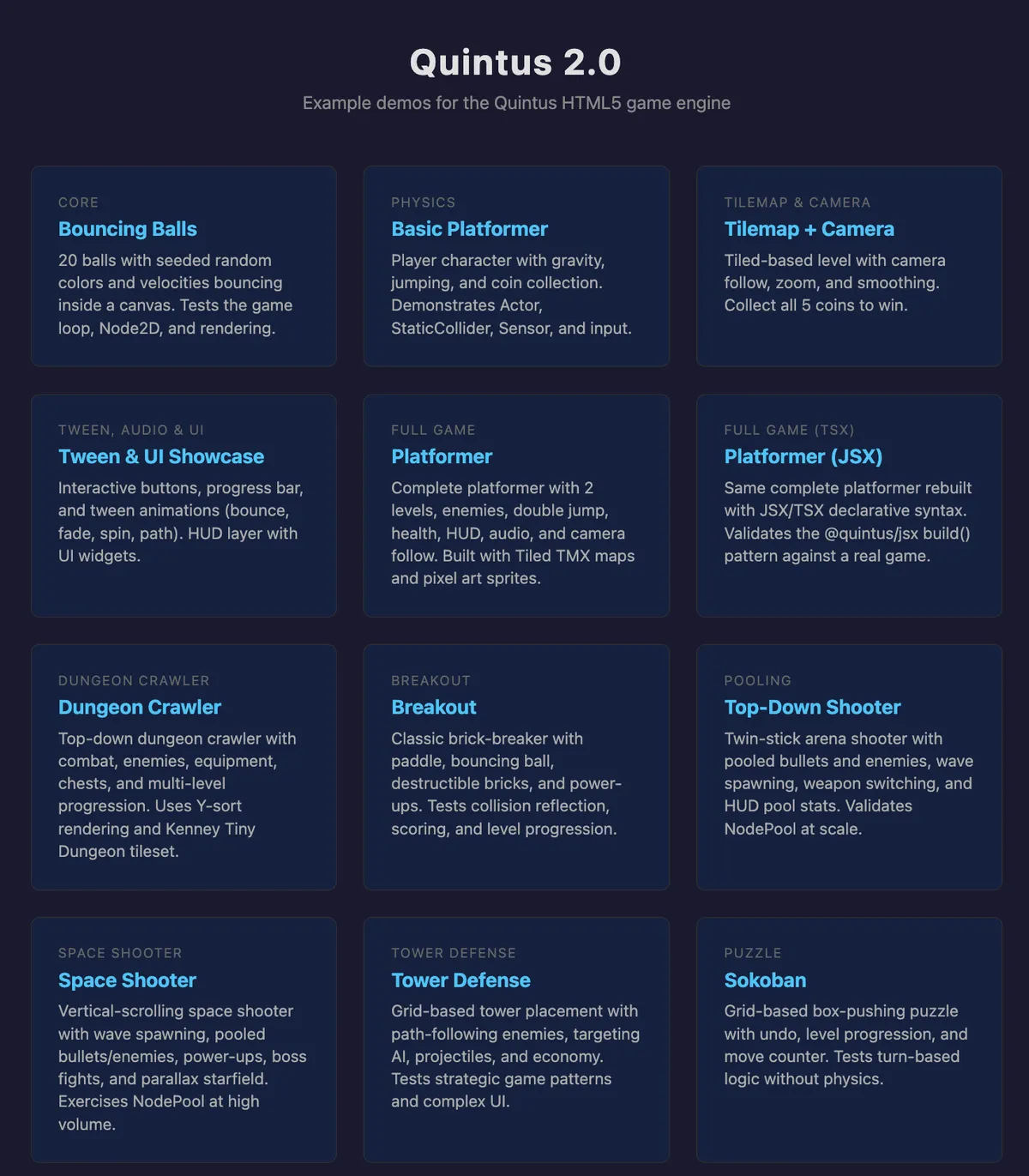
Give the examples a shot and let me know what you think. All of them were built with Claude Code and Kenney.nl assets - a few were one shot, but most required a bit of back and forth to get a working "game". A number still need a bit o' polish. Claude is kinda garbage at level design out of the box, so I'm still working on some of these examples for desktop vs. mobile.
P.S. Clicking on one of the various spaceships in this site may get you a Quintus 2.0 easter egg.